
Use an old iMac as a monitor for a MacBook.
M1, M2, M3 and M4.
Apple's Target Display Mode can't help: it needs a Mac from 2019 or earlier on macOS Catalina or older. A MacBook with M1, M2, M3 or M4 has to send the picture through software instead. Encore does that with every Intel iMac from Late 2009 to 2020 (2007 to Early 2009 with Encore Receiver Legacy), over a cable or Wi-Fi. Other apps cover parts of that range.
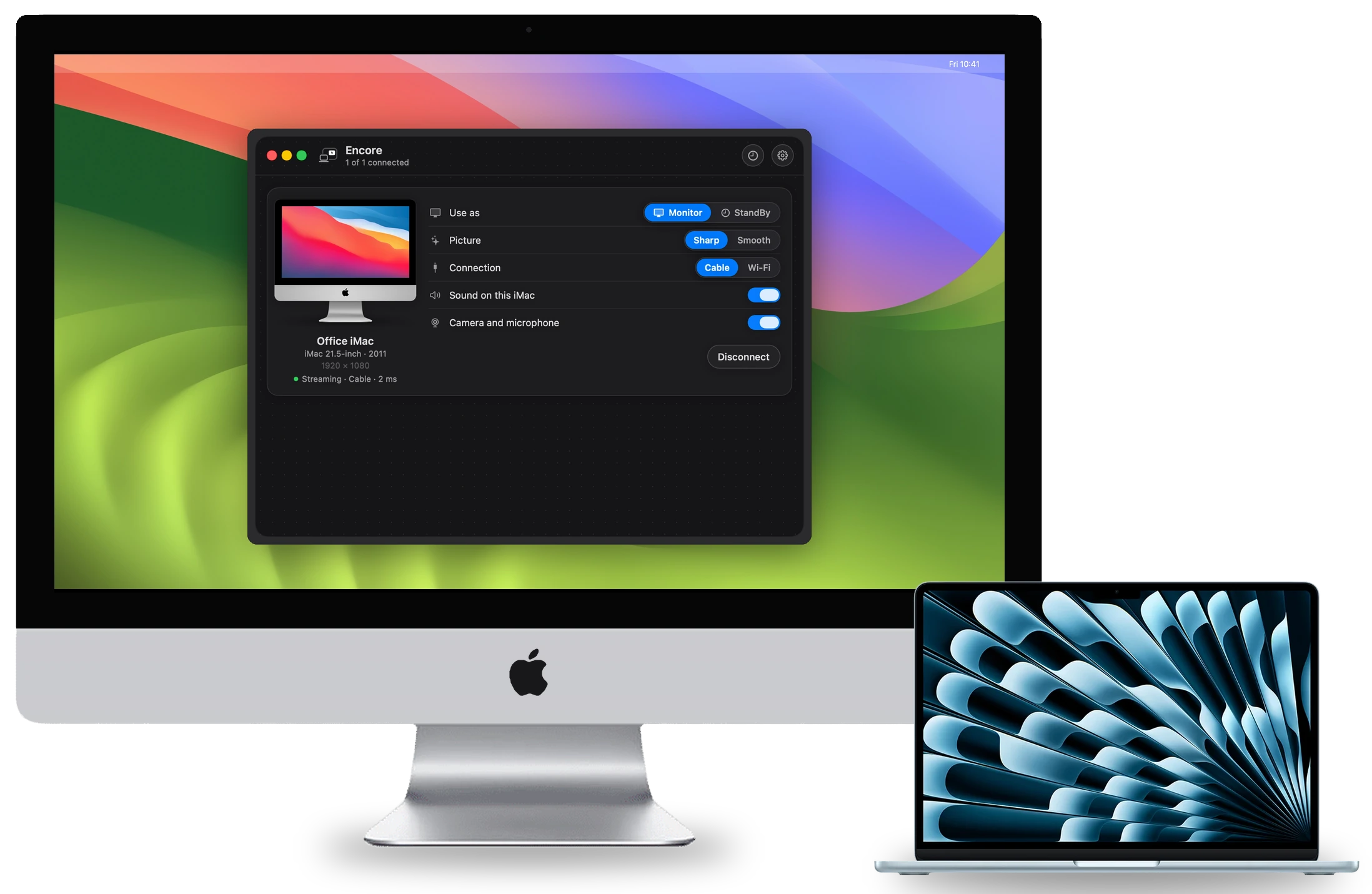
What you need
Three things decide what works: the iMac's year, the macOS on the iMac, and the cable you can put between the two. Your MacBook is not the limit as long as it runs macOS 14 Sonoma or later, which every Mac with Apple silicon can do.
The iMac shows its model under Apple menu, About This Mac. For example, iMac (27-inch, Mid 2011). You need that line for everything below.
Why Command-F2 doesn't work
Many iMac owners remember pressing Command-F2 to turn the iMac into a monitor. That is Target Display Mode, and Apple's rule is that the Mac connecting to the iMac must be introduced in 2019 or earlier and run macOS Catalina 10.15.8 or earlier. Every MacBook with Apple silicon falls outside that rule, whatever iMac you have. Encore vs Target Display Mode has the full rules, and Target Display Mode alternatives covers what replaced it.
What works, by iMac year
| iMac | Encore | Other routes |
|---|---|---|
| 2007 to Early 2009 | Yes, with Encore Receiver Legacy, at a smaller picture of about 1440 x 900 | None stated by other apps |
| Late 2009 and 2010 | Yes, on macOS 10.13 | None stated by other apps |
| 2011 | Yes | Luna Display (from 2011, with a dongle) |
| Late 2012 to 2013 | Yes | Luna Display, RetinaRelay, Second Display Connect, Yam Air Desk |
| 2014 to Mid 2015 | Yes | The above, plus MacDisplay (from 2014) |
| Late 2015 to 2017 | Yes | The above, plus Second Display directly and DeskJoin Screen on macOS 12.3 or later |
| 2019 and 2020 | Yes | The above, plus AirPlay to Mac and TargetBridge |
Every other route has its own requirements. Check them on the comparison pages.
Step by step, with Encore
- Check the iMac.Look up your model on the compatibility page. If it runs macOS 10.13 High Sierra or later, it is ready.
- Install both apps.Encore on your MacBook (macOS 14 or later) and Encore Receiver on the iMac. The install guide shows the one-time macOS warning and what to click.
- Connect a cable if you can.A cable carrying at least 400 Mbps gives the sharp, lossless picture. Choose the cable in the table below.
- Pair.Type the code the iMac shows into Encore on your MacBook. After that it connects by itself.
- Arrange it like any monitor.The iMac appears as an extra display in System Settings, Displays. Drag windows across.
The right cable for a MacBook
Every recent MacBook has USB-C. What you need depends on the iMac:
| Your iMac | Cable from a USB-C Mac | Also works |
|---|---|---|
| Late 2009 and 2010 | Gigabit Ethernet: a USB-C to Gigabit adapter and a Cat6 cable. These iMacs have no Thunderbolt. | Wi-Fi, at lower quality |
| 2011 to 2013 | Thunderbolt: Apple's Thunderbolt 3 (USB-C) to Thunderbolt 2 Adapter and a Thunderbolt cable, or Gigabit Ethernet. | Wi-Fi, at lower quality |
| Mid 2014 and 2015 | Thunderbolt 2: the same adapter and a Thunderbolt 2 cable, or Gigabit Ethernet. | Wi-Fi, at lower quality |
| 2017 to 2020 | One Thunderbolt 3 or 4 cable with USB-C on both ends and the lightning-bolt logo. Gigabit Ethernet works too. | Wi-Fi, at lower quality |
The minimum is 400 Mbps end to end, and the slowest piece in the chain counts. A cheap 10/100 Ethernet adapter drops you below that. All prices and traps are on the cable page, and why a cable matters so much is in Wi-Fi or cable for a second screen.
What you get, and what you don't
- Over a cable: the sharp, lossless picture, and the iMac's keyboard and mouse working for your MacBook. Your MacBook's sound can play on the iMac's speakers.
- Over Wi-Fi: it works with nothing to buy, but the picture is always lower quality than on a cable, especially off 5 GHz. The keyboard and mouse need a cable.
- On a 5K iMac: Encore sends the picture at up to 2560 x 1440, not native 5K. Using a 5K iMac as a monitor lists the routes that drive every pixel.
- Latency: Encore has not published latency figures yet. We will publish measurements per iMac model.
Two practical tips
More than one iMac. Encore can drive several iMacs at the same time, each with its own row in the app: one as a monitor, another in StandBy as a clock. Check which iMacs work before buying a cable for each.
Your iMac's macOS. Encore Receiver needs macOS 10.13 High Sierra or later on the iMac. If yours is on an older system and can be upgraded, do that first. iMacs that stop at OS X 10.10 or 10.11 use Encore Receiver Legacy.
Is it worth it?
A used iMac is big and uses far more power than a modern monitor. Apple lists an idle draw of 135 to 142 W for a 27-inch Mid 2011 iMac and 63 W for a Late 2015 5K model. MacMost argues for buying a 4K monitor and selling the old Mac instead, and for someone starting fresh that is a fair choice. If the iMac is already on your desk, a cable and an app give you a screen and a smart display for very little extra.
If something doesn't connect
Start with the help center. The common causes are the iMac being on a different network, a 2.4 GHz Wi-Fi link, or a slow adapter in the chain.
Questions
Can I use an old iMac as a monitor for an M1 MacBook Air?
Yes, with an app. Target Display Mode is out, because Apple requires a Mac from 2019 or earlier. Encore works on any MacBook on macOS 14 or later, with any Intel iMac from Late 2009 to 2020 (2007 to Early 2009 with Encore Receiver Legacy).
Which cable do I need to connect a MacBook to my iMac?
For a 2017 to 2020 iMac, a Thunderbolt 3 or 4 cable. For a 2011 to 2015 iMac, Apple's Thunderbolt 3 to Thunderbolt 2 adapter and a Thunderbolt cable, or Gigabit Ethernet. For a Late 2009 or 2010 iMac, Gigabit Ethernet. Full guide.
Can I connect my MacBook to my iMac with HDMI?
No, iMacs don't have an HDMI input. A capture card can show HDMI on the iMac through an app, but that is a different setup.
Can I use the iMac's keyboard and mouse with my MacBook?
With Encore, yes, over a cable. Press Control-Option-Command-Esc on the iMac to switch back.
How much does Encore cost?
Encore is free during the public beta.