
Target Display Mode alternatives.
For Macs with Apple silicon.
Target Display Mode does not work with any Mac with Apple silicon, on Apple's word. What replaces it depends on your iMac: Encore for Late 2009 to 2020, paid apps from 2011 or 2012 on, AirPlay to Mac on 2019 and later iMacs, and hardware if you want to rebuild the iMac. No software route matches a real Thunderbolt signal, but several come close over a cable.
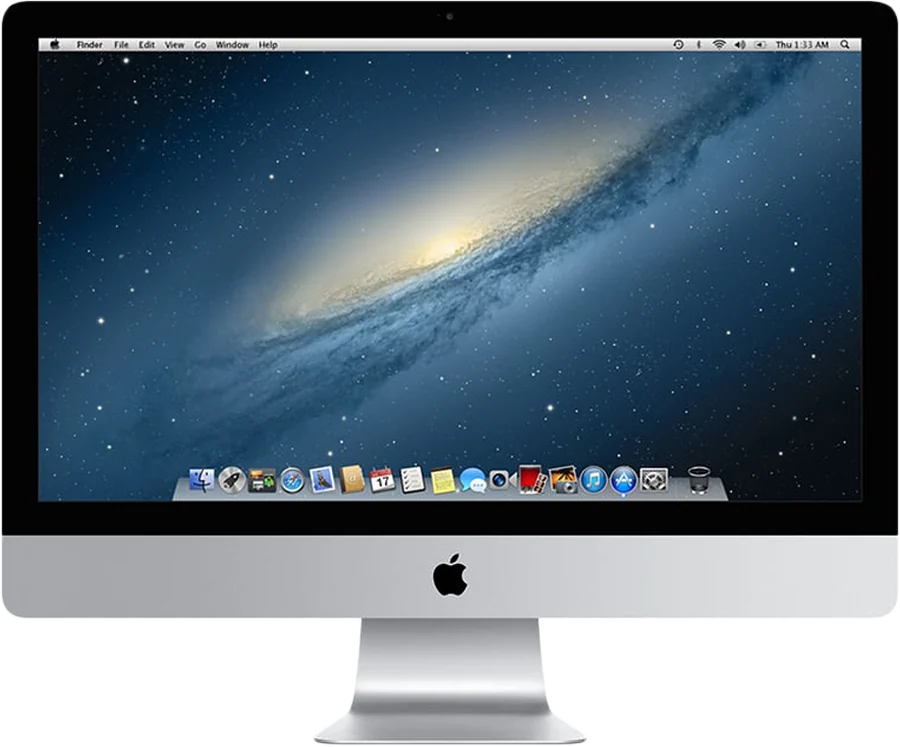
Why Target Display Mode doesn't reach Apple silicon
Apple's support page sets two limits. The iMac must be one of a list of models from 2009 to mid 2014, on macOS High Sierra 10.13.6 or earlier. And the Mac connecting to it must be "introduced in 2019 or earlier using macOS Catalina 10.15.8 or earlier." Every Mac with Apple silicon is newer than that, so the limit is on the Mac, not on the cable. Apple has never explained why. Target Display Mode explained has the fine print.
A note on cables that seem like they should work
Thunderbolt iMacs from 2011 to 2014 don't take a signal from an Apple silicon Mac in Target Display Mode. In a MacRumors thread from November 2020, an M1 Mac mini with Apple's Thunderbolt 3 to Thunderbolt 2 adapter wrote "Nothing Happened" on a 2011 iMac. That matches Apple's page.
The 27-inch iMacs from 2009 and 2010 take Mini DisplayPort. Attempts with a USB-C to Mini DisplayPort cable, around the same time, gave mixed results: in that same thread one owner has one working on a 2010 iMac (the source Mac isn't named) and another's cable did nothing on a Late 2009 iMac; on Apple's forum an M1 MacBook Air made the iMac's screen go black for 3 seconds and then return. Treat it as unsupported and don't buy cables for it.
Why the same cable can work for an app
Target Display Mode needs a real video path, which Apple silicon Macs don't offer here. Apps use the cable differently: to them, it is just a fast network link. That is why Apple's Thunderbolt 3 to Thunderbolt 2 adapter does nothing for Command-F2 on an M1, and works fine for Encore or another app that sends the picture over it as data. The cable looks the same; what travels over it is different.
The alternatives, by iMac year
| iMac | Your realistic options |
|---|---|
| 2007 to Early 2009 | Encore, with Encore Receiver Legacy. Deskreen in a browser may work, at Wi-Fi quality, if a working browser runs on that macOS. |
| Late 2009 and 2010 | Encore. Deskreen in a browser, with a virtual display tool. |
| 2011 | Encore, Luna Display (with its dongle). |
| Late 2012 to 2013 | Encore, Luna Display, RetinaRelay, Second Display (with its Connect app), Yam Air Desk. |
| 2014 to Mid 2015 | Encore, Luna Display, RetinaRelay, Second Display Connect, MacDisplay, Yam Air Desk. |
| Late 2015 to 2017 | Encore, Luna Display, RetinaRelay, Second Display, MacDisplay, Yam Air Desk, DeskJoin Screen on macOS 12.3 or later. |
| 2019 and 2020 | All of the above, plus AirPlay to Mac and TargetBridge. |
Requirements from each maker's site, checked 9 November 2026. Details and sources on the comparison pages.
How the software routes differ
None of these are monitors in the Target Display Mode sense. The Mac makes an extra display in software, compresses it, and sends it to the iMac, which decodes and shows it. What differs is what each one optimises for:
- Encore sends a sharp, lossless picture over a cable, and has Ultra (ProRes 4444) for coloured text. Retina iMacs at up to 2560 x 1440. Latency not published yet.
- RetinaRelay aims for native 5K over a cable, up to 60 fps.
- Second Display publishes about 9 ms over Thunderbolt in its own test, on a 24-inch M1 iMac.
- Luna Display is a USB-C dongle. Astropad states 1 to 4 ms wired and 7 to 25 ms on Wi-Fi.
- Duet Display is a subscription that also covers tablets.
All makers' figures are their own. We have not tested them against each other.
What to look at when choosing
- Your iMac's year. It rules most options in or out.
- Whether you can use a cable. Every route gives a better result over a cable than Wi-Fi. Wi-Fi or cable for a second screen explains why.
- Whether you need native 5K. Encore doesn't, RetinaRelay and Luna Display do.
- What you want the iMac to do when you stop. Encore is the only one here with a smart display.
Apple's own options still on the table
With a Mac with Apple silicon, two Apple features remain relevant. AirPlay to Mac receives on iMacs from 2019 or later, on macOS 12 or later. Sidecar extends to an iPad, not an iMac. Universal Control shares one keyboard and mouse between Macs and iPads, but doesn't send a screen.
Hardware alternatives
A capture card shows any HDMI source on the iMac, using a viewer app. A driver board turns the panel of a 27-inch iMac into a monitor by replacing its computer. Both are real options, and both have costs that software doesn't.
Questions
Is there a Target Display Mode for Apple silicon?
No, Apple's page requires a Mac from 2019 or earlier on macOS Catalina or older. Apple silicon Macs need software instead: Encore, Luna Display, RetinaRelay, Second Display or Duet, depending on your iMac.
Will a USB-C to Mini DisplayPort cable work with my M1?
On 27-inch iMacs from 2009 and 2010, reports from 2020 are mixed and Apple doesn't list it. On Thunderbolt iMacs from 2011 to 2014, a report with an M1 Mac mini and Apple's adapter showed nothing. Plan on it not working.
What is the cheapest Target Display Mode alternative?
If your iMac qualifies, the free routes are DeskJoin Screen (macOS 12.3 or later on the iMac), AirPlay to Mac (2019 and later iMacs), TargetBridge (macOS 14 iMacs) and Deskreen (a browser). Among paid apps, Yam Air Desk was $7.99 on 9 November 2026. Encore is free during the public beta.
Does any alternative match Target Display Mode's picture?
Target Display Mode shows the signal directly. Over a cable, apps can get close on text and motion, and RetinaRelay and Luna Display aim for native 5K, but they all use compression.