
Use a 5K iMac as a monitor.
2014 to 2020, 27-inch.
A 27-inch Retina 5K iMac has a 5120 x 2880 panel, but no 5K iMac has Target Display Mode. To use one as a monitor you need an app or a driver board. RetinaRelay and Luna Display state native 5K. Encore sends these iMacs at up to 2560 x 1440 and adds the rest of the iMac, a smart display and a lower price. Pick by what you care about.
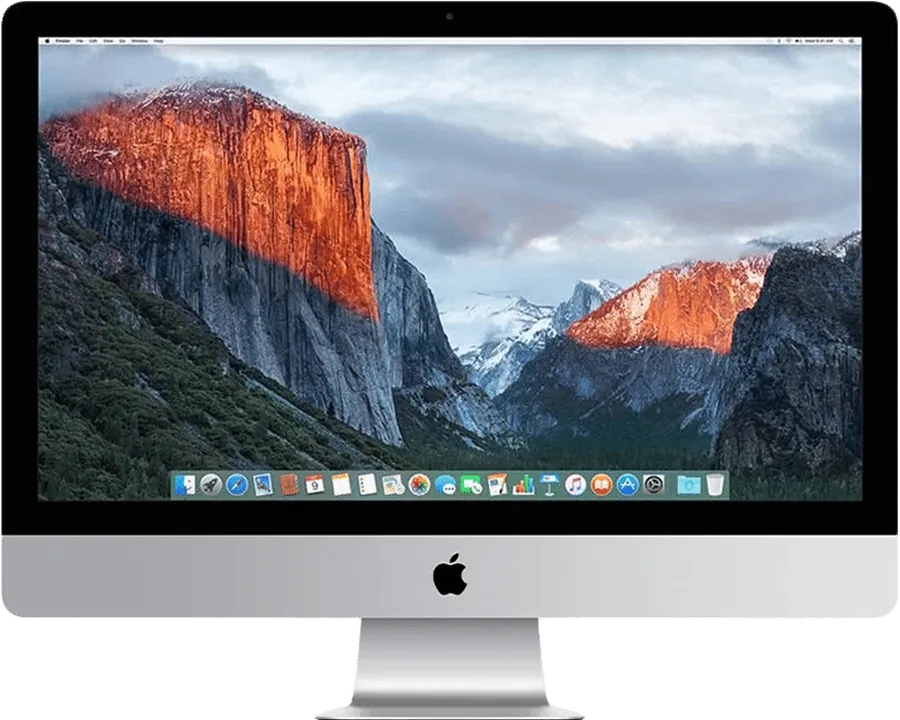
Which iMacs we mean
| iMac | Panel | Newest macOS | Thunderbolt |
|---|---|---|---|
| Retina 5K, 27-inch, Late 2014 | 5120 x 2880 | macOS 11 Big Sur | Thunderbolt 2 |
| Retina 5K, 27-inch, Mid 2015 | 5120 x 2880 | macOS 11 Big Sur | Thunderbolt 2 |
| Retina 5K, 27-inch, Late 2015 | 5120 x 2880 | macOS 12 Monterey | Thunderbolt 2 |
| Retina 5K, 27-inch, 2017 | 5120 x 2880 | macOS 13 Ventura | Thunderbolt 3 |
| Retina 5K, 27-inch, 2019 | 5120 x 2880 | macOS 15 Sequoia | Thunderbolt 3 |
| Retina 5K, 27-inch, 2020 | 5120 x 2880 | macOS 26 Tahoe | Thunderbolt 3 |
The newest macOS by model is on the compatibility page. The 21.5-inch Retina 4K iMacs from 2015 on have a 4096 x 2304 panel and no Target Display Mode either.
Why no 5K iMac has Target Display Mode
Apple's list stops at the 21.5-inch Mid 2014 iMac. No Retina iMac is on it, so Command-F2 won't work on any of these machines. And Apple requires the Mac that connects to be from 2019 or earlier, so a Mac with Apple silicon wouldn't qualify anyway. Encore vs Target Display Mode has the full rules.
Your options for a 5K iMac
| Route | Native 5K? | Needs | Cost |
|---|---|---|---|
| RetinaRelay | Claims up to native 5K at 60 fps | macOS 13 on the host, macOS 10.15 on the iMac, a cable | $49 once |
| Luna Display | Yes, with the USB-C unit | A $89.99 dongle in your Mac | $89.99 |
| TargetBridge | Up to 5K; 5K 60 fps marked experimental | macOS 14 on the iMac, so 2019 or 2020 without patches; Thunderbolt | Free |
| Second Display | Not stated for 27-inch 5K | macOS 14 on the host, Late 2015 or later iMac, Thunderbolt for lossless | $39 once |
| Encore | No. Up to 2560 x 1440 | macOS 14 on your Mac, macOS 10.13 or later on the iMac | Free during the public beta |
| Driver board | Yes, 5120 x 2880 at 60 Hz | Opening the iMac and removing its computer | From about $170 for a board; $449 for one full kit we checked |
Prices and claims checked 9 November 2026. Sources are on the comparison pages.
What a software route can and can't do
A 5K picture is a lot of data. At 60 Hz, a raw 5120 x 2880 picture is about 21 Gbit/s before any overhead. A Thunderbolt 2 link is rated at 20 Gbit/s and Thunderbolt 3 at 40 Gbit/s, and both carry other traffic between the Macs. So software routes compress the picture, and "native 5K" over a cable means a compressed 5K picture, not the raw signal a display cable carries.
That's not bad news: compression and a good link can look excellent. But claims like "5K at 60 fps" describe what the maker measured on its setup. Test it on yours.
Encore on a 5K iMac
Encore sends Retina iMacs at up to 2560 x 1440, with lossless tiles over a cable that keep still text pixel-exact. On a 5120 x 2880 panel that is exactly half the resolution in each direction: text is sharp and crisp, but not every pixel is driven directly. Ultra sends ProRes 4444 up to 1440p over Thunderbolt, which is sharper on coloured text.
You also get the rest of the iMac: its keyboard and mouse over a cable, its speakers, and a smart display when you stop. Encore is free during the public beta.
How to choose, in order
- Do you need every 5K pixel, or a sharp big screen? If the former, shortlist RetinaRelay, Luna Display and, on a 2019 or 2020 iMac, TargetBridge.
- How old is your iMac's macOS? RetinaRelay needs macOS 10.15, Second Display 12.3 (or its Connect app on 10.15.7), Encore 10.13.
- Do you want the iMac for more than a screen? Encore also uses its keyboard and mouse over a cable, and turns it into a smart display.
- Is the computer inside still working? If not, a driver board is the only route left.
Which cable for a 5K iMac
A Late 2014 to Late 2015 5K iMac has Thunderbolt 2 ports: from a USB-C Mac, use Apple's Thunderbolt 3 (USB-C) to Thunderbolt 2 Adapter and a Thunderbolt 2 cable. A 2017 to 2020 5K iMac has Thunderbolt 3, so a single Thunderbolt 3 or 4 cable does it, with the lightning-bolt logo on it. Gigabit Ethernet works on all of them. See the cable guide for exact parts, and which cable actually works for the traps.
Or convert it permanently
If you want the panel as a monitor and nothing else, or if the computer has failed, a driver board gives you native 5K through USB-C. It is real work, costs more, and removes the iMac as a computer. Seller notes for one kit say the iMac's camera and speakers won't work.
Questions
Does the 5K iMac have Target Display Mode?
No. No Retina iMac is on Apple's Target Display Mode list.
Can a 5K iMac be a monitor for an M1, M2 or M4 Mac?
Yes, with software. Encore works over a cable or Wi-Fi with any Mac on macOS 14 or later. RetinaRelay and Luna Display state native 5K. Check your iMac year on the compatibility page.
Can I drive a 5K iMac at full resolution?
RetinaRelay and Luna Display (USB-C unit) state native 5K, and TargetBridge offers 5K streams on iMacs with macOS 14. Encore sends up to 2560 x 1440. A driver board gives you 5120 x 2880 at 60 Hz, but removes the computer.
Is it worth converting a 5K iMac to a monitor?
It can be, if the computer has failed or if you want a real, permanent monitor. If it still runs, an app is far cheaper and reversible. See Encore vs a driver board.