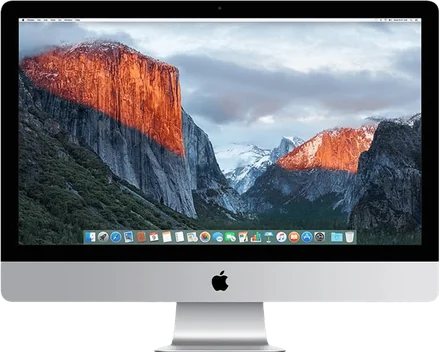
Use a 2017 iMac
as a second screen.
Yes. A 2017 iMac can be a second screen for any Mac on macOS 14 or later, over Wi‑Fi or a cable. Apple's Target Display Mode can't do this with a Mac from 2020 or later.
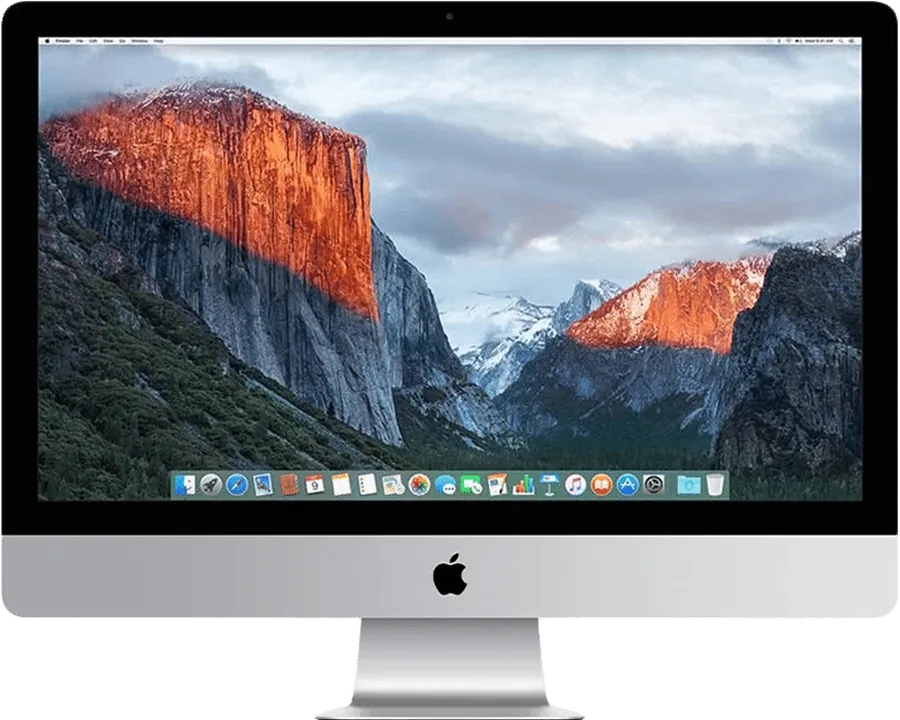
The 2017 iMac at a glance.
- Models
- iMac (21.5-inch, 2017), iMac (Retina 4K, 21.5-inch, 2017), iMac (Retina 5K, 27-inch, 2017)
- Newest macOS
- macOS 13 Ventura
- Cable
- Gigabit Ethernet or Thunderbolt 3, or Wi‑Fi
- Expected picture
- Sharp Retina text, encoded at up to 2560 × 1440, 60 fps
- Target Display Mode
- No
- AirPlay to Mac
- No
- Your Mac
- macOS 14 Sonoma or later, Apple silicon or Intel
What works.
Everything Encore does, on the 2017 iMac.
An extra desktop
Drag windows onto the iMac as onto any monitor.
Its keyboard and mouse
The iMac's own keyboard and mouse can control your Mac. Press Control-Option-Command-Esc on the iMac to switch back.
Its speakers
Your Mac's sound can play on the iMac's speakers, on one or several iMacs at the same moment.
Several iMacs
More than one iMac at once, each with its own Connect button.
StandBy
When it isn't a screen, the iMac shows a clock, the weather and your calendar.
The picture
Sharp Retina text, encoded at up to 2560 × 1440, 60 fps. Expected, not yet measured on every model.
The right download.
One app for your Mac, one for the iMac. Free during the public beta.
Encore Receiver, on the iMac
The 2017 iMac runs up to macOS 13 Ventura. Encore Receiver needs macOS 10.13 High Sierra or later, so this is the one.
Download Encore Receiver
Encore, on your Mac
It finds the iMac, sends the picture and holds every switch. Both apps update themselves.
Download EncoreWhich cable.
Your iMac has Thunderbolt 3 (USB-C) ports, just like your Mac. One cable is enough. Wi‑Fi needs nothing. For the sharp, lossless picture, everything in between must carry at least 400 Mbit/s: never a 10/100 adapter.
One Thunderbolt cable
- A Thunderbolt 3 or Thunderbolt 4 cable, USB-C on both ends.
- Look for the lightning-bolt logo: a plain USB-C charging cable won't do.
- Plug it into a Thunderbolt port on the back of the iMac and into your Mac.
Several Gbit/s: the sharp, lossless picture at any size, and Ultra up to 1440p.
Gigabit Ethernet
- A USB-C to Gigabit Ethernet adapter for your Mac. It must say Gigabit or 10/100/1000. Skip it if your Mac has an Ethernet port.
- A Cat6 Ethernet cable (Cat5e also works), long enough to reach the iMac.
- Plug the cable into the Ethernet port on the back of the iMac.
Up to 1000 Mbit/s: the sharp, lossless picture.
Apple's own options.
Target Display Mode
No. Apple's list stops at the 21.5-inch Mid 2014 iMac; no Retina 5K or later iMac ever supported Target Display Mode.
Whatever the iMac, Apple requires the Mac that connects to be from 2019 or earlier, on macOS Catalina 10.15.8 or earlier. So no Mac with Apple silicon. Source: Apple's support page.
AirPlay to Mac
No. Receiving AirPlay on a Mac needs an iMac from 2019 or later on macOS 12 Monterey or later.
Paid apps, a capture card or a display driver board are other routes. We compared them all, with sources, in every way to use an old iMac as a monitor. Why Apple's option ended: Target Display Mode explained.
Questions about the 2017 iMac
Can a 2017 iMac be a monitor for an M1, M2, M3 or M4 Mac?
Yes, with Encore, over Wi‑Fi or a cable. Target Display Mode can't, because Apple requires the connecting Mac to be from 2019 or earlier on macOS Catalina or older.
Does the 2017 iMac support Target Display Mode?
No. Apple's list stops at the 21.5-inch Mid 2014 iMac; no Retina 5K or later iMac ever supported Target Display Mode.
Which cable connects a Mac to a 2017 iMac?
Your iMac has Thunderbolt 3 (USB-C) ports, just like your Mac. One cable is enough. The connection must carry at least 400 Mbit/s, so Thunderbolt 3 or Gigabit Ethernet. Wi‑Fi works without any cable.
Will the 2017 iMac's keyboard, mouse and speakers work with my Mac?
Yes. The iMac's keyboard and mouse can control your Mac, and your Mac's sound can play on the iMac's speakers.
Can the 2017 iMac be a clock or smart display?
Yes. When it isn't your second screen, the iMac shows StandBy: a clock, the weather and your calendar. It can also play AirPlay music, with the album on a turning record.
What does Encore cost?
Free during the public beta, if you report what goes wrong. No subscription, no account.