
Recycle or reuse an old iMac?
Reuse it if it works, recycle it right if not.
If your old iMac still starts and you have a use for it, reuse it. Make it a second screen for a Mac, or a clock and smart display. If it is broken or you have no use for it, recycle it through Apple Trade In, which is free for any Apple device. Either way, erase your data before it leaves your hands.
Should I recycle or reuse my old iMac?
Start with two questions. Does it still work? And do you have a real use for it? The answers point to one of four outcomes.
| Your iMac | Best route |
|---|---|
| Works, and you use a Mac on macOS 14 or later | Reuse it as a second screen, and a clock when you stop |
| Works, but you have no Mac | Reuse it as a smart display, sell it, or give it away |
| Computer dead, screen fine (27-inch) | A driver board can save the panel, or recycle it |
| Broken, or nobody wants it | Recycle it through Apple, for free |
Our guide on what to do with an old iMac lists every option in detail. This page is about the choice between keeping it and letting it go.
How does Apple Trade In work for an old iMac?
Apple Trade In takes Macs, including old iMacs. You enter the serial number to see a value. Apple says values depend on "the device, model, manufacturer, and condition." It also notes that very old or severely damaged devices may not qualify for credit.
That doesn't end the road. Apple's page says: "If your device isn't eligible for any trade-in value, you can still recycle it with Apple for free." It also says Apple Trade In "lets you recycle any Apple device at an Apple Store location and on apple.com for free." So an iMac from 2009 has a free, documented way out.
Is recycling an old iMac good for the environment?
Recycling recovers materials, but only if the device reaches a real recycler. The Global E-waste Monitor 2024, from ITU and UNITAR, gives the scale:
- 62 million tonnes of e-waste were produced worldwide in 2022, a record.
- Less than a quarter, 22.3% of that mass, was documented as properly collected and recycled.
- US$62 billion worth of recoverable natural resources went unaccounted for.
- 82 million tonnes a year is where e-waste is on track to be by 2030.
Two lessons follow. When you let an iMac go, use a route that documents what happens to it, like Apple's. And a device that keeps working for a few more years isn't part of those tonnes yet.
Is it worth keeping an old iMac running?
It depends on how you use it. An old iMac draws real power. Apple's power consumption page lists idle figures, measured at the wall with only Finder open:
| iMac | Idle power |
|---|---|
| 27-inch, Late 2009 | 145 W |
| 27-inch, Mid 2011 | 135 to 142 W |
| 27-inch, Late 2013 | 78 to 80 W |
| Retina 5K 27-inch, Late 2015 | 63 W |
| Retina 5K 27-inch, 2019 | 71 W |
| 21.5-inch, 2017 | 33 W |
Apple's figures for specific configurations. Yours may differ a little.
Left on all day, a 135 W iMac uses about 1,180 kWh a year. At €0.30 per kWh, that is about €355. So keep it for hours of real use, not as an always-on decoration. Let it sleep or turn it off when you're done. For a newer iMac at 33 to 80 W, the cost is much lower.
How do I reuse an old iMac as a second screen?
If you have a Mac on macOS 14 or later, this gets the most out of the iMac. Its panel is often its best part. A 27-inch from Late 2009 to 2013 has 2560 x 1440, and a Retina model has 5120 x 2880.
Encore turns any Intel iMac from Late 2009 to 2020 into a second screen for that Mac. Install Encore on your Mac and Encore Receiver on the iMac, then type the iMac's 4-digit code once. It works over Wi-Fi or a cable, and a cable gives the sharp, lossless picture. Over a cable, the iMac's keyboard and mouse can control your Mac too. Using its camera and microphone is coming soon.
The rest of the iMac comes along. Its speakers can play your Mac's sound, over Wi-Fi or a cable. If you have more than one old iMac, Encore can use several at once, each with its own Connect button.
Check your model on the compatibility page and find the right part in the cable guide. Encore is free to download during the public beta. After the beta it costs €16 once.
Can an old iMac be a smart display instead?
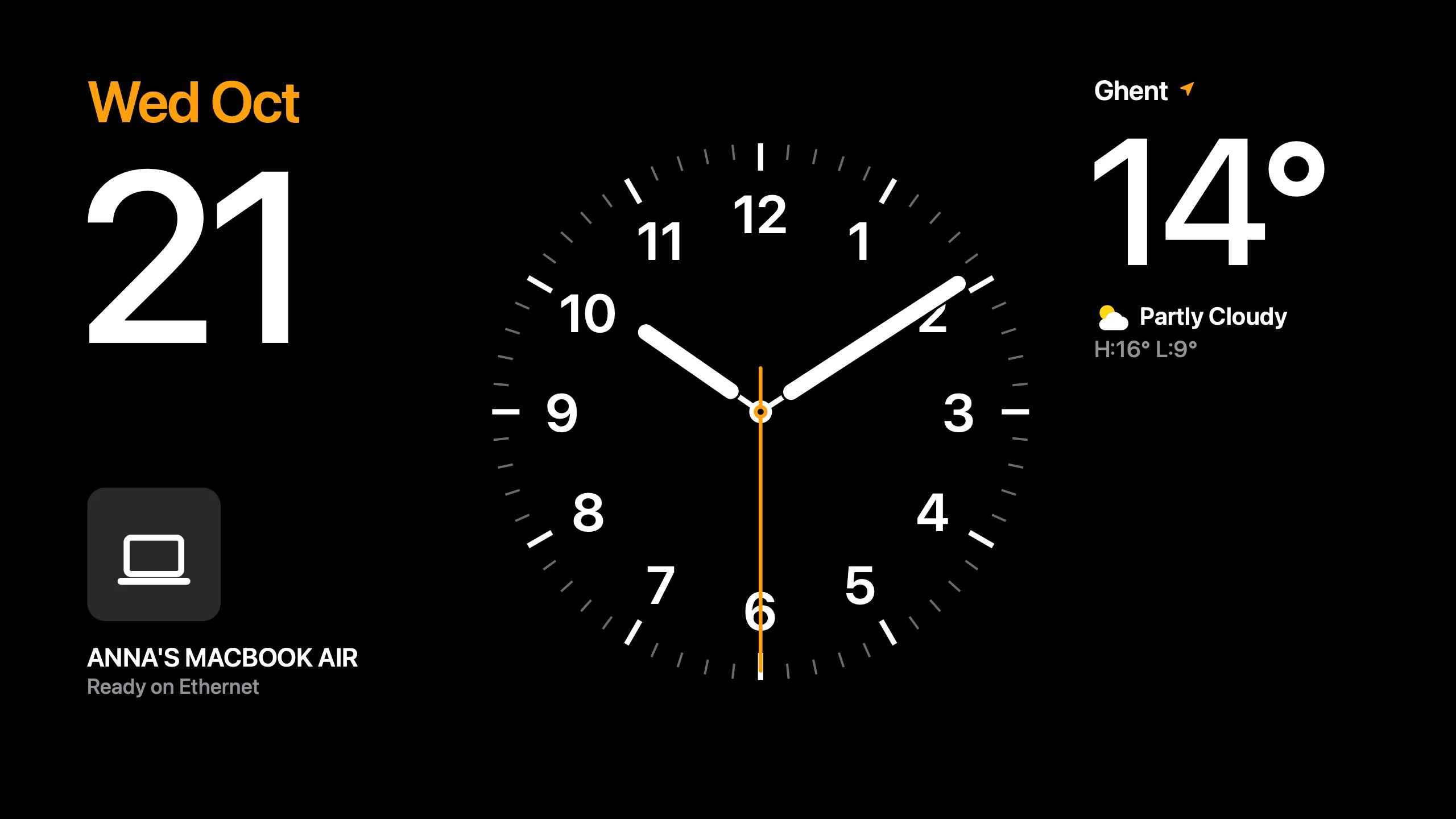
Yes, and it doesn't need to be on all day to earn its place. When no Mac uses it, Encore Receiver shows StandBy: clock faces with the time, weather and your calendar. The iMac also becomes an AirPlay speaker, so music from Spotify, YouTube or Music plays on it, with the cover on a turning record. Hey Mac answers questions by voice, with your own AI key. Listening is off until you turn it on.
It suits a kitchen, a hallway or a workshop. Our guide to an old iMac as a clock or smart display covers other ways too, and the power use.
When is recycling the better choice?
Reuse is not always right. Recycle, sell or give the iMac away when:
- It doesn't start and you don't want to rebuild it. A driver board can turn a dead 27-inch into a monitor, but it is real work.
- You have no Mac and no place where a clock or music player would get used.
- Power matters more than the screen. A 145 W iMac left on is an expensive clock.
- Someone else needs a computer. Schools and charities often accept working machines.
What should I do before recycling my iMac?
- Back up what you want to keep.Photos, documents and anything else that lives only on the iMac.
- Erase the disk.Start up in macOS Recovery and erase it. If the iMac is too old for that, use Disk Utility from a USB installer.
- Check its value.Enter the serial number on Apple's Trade In page. If there is no credit, Apple still recycles it for free.
- Bring it in or send it.Apple accepts it at an Apple Store or through apple.com.
Questions
Will Apple take my old iMac?
Yes. Apple's Trade In page says any Apple device can be recycled at an Apple Store or on apple.com for free. If your iMac is too old for credit, Apple says it will recycle it securely and for free.
Will I get money for an old iMac through Apple Trade In?
It depends. Apple says values depend on the device, model and condition, and that very old or severely damaged devices may not qualify. Enter the serial number on Apple's page to see an offer.
Is it better for the environment to reuse or recycle an iMac?
Using a working device longer creates no new waste today. When you do let it go, recycle it through a documented route: the Global E-waste Monitor 2024 found only 22.3% of 2022's e-waste was documented as collected and recycled.
How much power does an old iMac use?
Apple lists idle figures from 33 W for a 21.5-inch 2017 iMac to 145 W for a 27-inch Late 2009. Left on all day, a 135 W iMac uses about 1,180 kWh a year. Let it sleep when you're not using it.
What should I do before recycling my iMac?
Back up what you need, then erase the disk. Start up in macOS Recovery and erase it, or use Disk Utility from a USB installer if the iMac is too old for Recovery to do it.