
Second screen lag on a Mac?
Fix the link first.
Second screen lag on a Mac usually comes from the link between the two computers, not the screen. Put both on 5 GHz Wi-Fi, or better, connect a cable that carries at least 400 Mbps end to end. If it still stutters, look for a slow adapter or hub, Wi-Fi hiccups from AirDrop, or an older computer that can't decode fast enough.
Why is my second screen lagging on my Mac?
A wireless or software second screen sends your desktop as video. Your Mac encodes it, the link carries it, and the other screen decodes it. Lag appears when one of those three steps can't keep up.
- The link is too slow.2.4 GHz Wi-Fi, a weak signal, or a cable with one slow part. This is the most common cause.
- The link is busy or interrupted.Other traffic on your network, or AirDrop and Handoff briefly moving your Mac's Wi-Fi to another channel.
- The receiving computer is slow to decode.An old iMac can only decode so much video. The oldest models decode in software.
The fix depends on which one it is. So measure first, then change one thing at a time.
How do I check what is slowing my second screen?
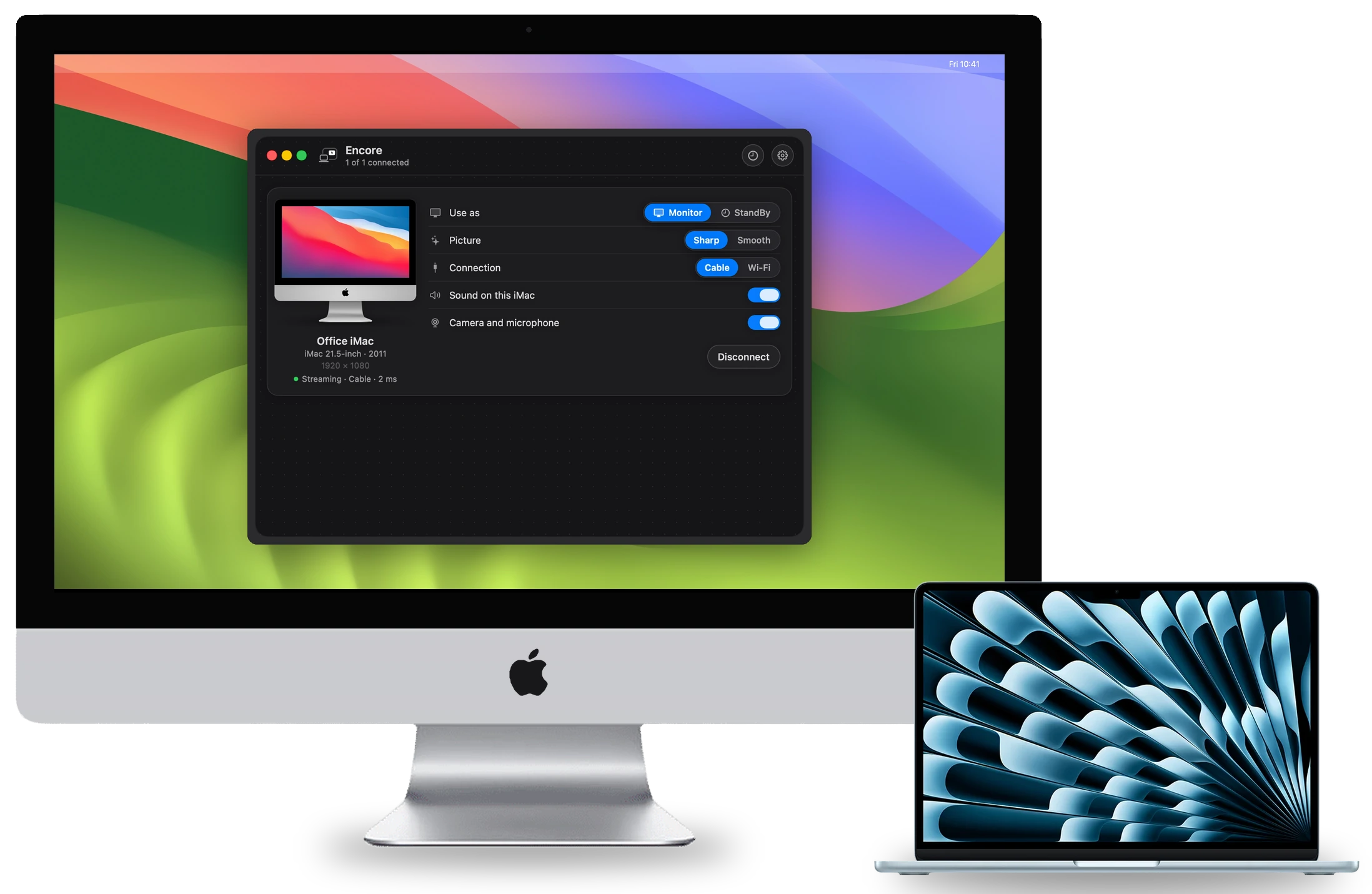
Start with what your setup can tell you. In Encore, the card for each iMac shows whether it runs over Wireless or Cable. While the picture goes over a cable, its meter shows the delay, the frame rate and the data rate. The Overview page has live charts for latency, frame rate and bitrate per iMac.
Encore also tells you in plain words when it sees a problem. It shows at most one note at a time, the most important first.
| What Encore says | What it means | What to do |
|---|---|---|
| Your Mac (or This iMac) is on 2.4 GHz Wi-Fi | 2.4 GHz never carries a sharp 60 fps picture | Move that computer to your 5 GHz network |
| Weak Wi-Fi signal | The signal is below -70 dBm | Move the iMac closer to the router, or use a cable |
| Slow Wi-Fi link | The link rate is below 100 Mbit/s | Move closer, or switch to 5 GHz |
| Wi-Fi hiccups detected | AirDrop or Handoff moved the Wi-Fi channel | Turn both off, or use a cable |
| This adapter only does 100 Mbit/s | A part of the cable path runs below Gigabit | Use a Gigabit adapter, or cable straight from Mac to iMac |
| Cable found, but it keeps dropping out | The adapter or hub keeps losing the link | Plug the adapter straight into your Mac |
Messages as listed on our troubleshooting page, which has the full text and steps for each.
Is Wi-Fi or a cable better for a second screen?
A cable, by a wide margin. Encore needs at least 400 Mbps between your Mac and the iMac for its sharp, lossless picture. Here is what each link realistically carries, from our cable guide:
| Link | Realistic speed | Enough for 400 Mbps? |
|---|---|---|
| Wi-Fi, 2.4 GHz | Too slow for a sharp picture | No |
| Wi-Fi, 5 GHz | About 50 to 400 Mbps | Not reliably |
| 10/100 Ethernet adapter | 100 Mbps | No |
| Gigabit Ethernet | Up to 1000 Mbps | Yes |
| Thunderbolt | 10 Gbit/s or more | Yes |
Wi-Fi is also shared with everything else in your home and your neighbours'. A video stream needs steady timing, and a cable doesn't share. Over Wi-Fi, Encore's picture is always lower quality than over a cable, especially off 5 GHz. The full comparison is in Wi-Fi or cable for a second screen.
How do I fix second screen lag over Wi-Fi?
If a cable is not an option, these steps help most, in this order:
- Put both computers on 5 GHz.If either side is on 2.4 GHz, fix that first. Encore tells you when it sees one.
- Move the iMac closer to the router.Or add a nearby access point with a wired link back to the router.
- Turn off AirDrop and Handoff.Set AirDrop to Receiving Off in Control Centre. Turn off Handoff in System Settings, General, AirDrop & Handoff.
- Keep other heavy traffic off the network.Large downloads, backups and AirPlay streams compete for the same air.
- Accept the limits.Wi-Fi is fine for a chat window, a reference document or a clock. For text you read all day, plug in.
Why does my second screen lag even over a cable?
A cable is only as fast as its slowest part. One weak link drops the whole connection below 400 Mbps. These are the usual traps:
- A 10/100 Ethernet adapter. Cheap adapters often stop at 100 Mbps. Use a Gigabit adapter.
- A USB 2.0 hub between the Mac and the adapter. Plug the adapter straight into the Mac.
- An old Cat5 cable from before 2001, without the e. Use Cat5e or Cat6.
- Powerline adapters. The box says 1000, but the wall gives far less, and it varies by the hour.
- A router with 100 Mbps ports. Check the port label, or run the cable straight from the Mac to the iMac.
- One side on Wi-Fi. If the Mac is on Wi-Fi and the iMac on a cable, the Wi-Fi hop sets the speed.
- A USB-C charging cable. For Thunderbolt, use a cable with the lightning-bolt logo.
Also update both apps. Encore 0.8.4 fixed cable lag: dragged windows no longer turn into blocks, and the bitrate follows what your cable can carry. Version 0.9.1 fixed an old picture that could stay after a lost packet on a cable. Both apps update themselves. The cable guide lists the right parts for each iMac.
Does the picture setting affect lag?
Yes. Encore gives each iMac a Picture choice. Sharp is the default and keeps text crisp while things move. Smooth keeps 60 fps for video and games, so pick it if motion stutters. Ultra sends ProRes 4444 over a cable. It is sharper, not faster, and is only offered when the cable and the iMac can carry it.
If Encore says "Ultra stopped: this iMac could not decode it in time", it goes back to Sharp by itself. On a 2007 to Early 2009 iMac with Encore Receiver Legacy, a smaller picture is normal. Encore sends what the iMac measures it can decode, and scales it up.
How much lag is normal on a second screen?
Encore has not published latency figures yet. We will publish measurements per iMac model. Other makers publish their own tests. Second Display reports about 9 ms over Thunderbolt and about 29 ms over Wi-Fi. Astropad states 1 to 4 ms wired and 7 to 25 ms over Wi-Fi for Luna Display. These are the makers' own figures, not independent tests. But they all point the same way: wired is faster.
Still lagging?
The troubleshooting page walks through lag, stutter and every on-screen message. If you haven't set up Encore yet, it is free to download during the public beta.
Questions
Why does my second screen lag on my Mac?
Usually the link between the two computers is too slow or too busy: 2.4 GHz Wi-Fi, a weak signal, or a slow adapter or router port in a cable. An older receiving computer can also be slow to decode video.
Is a cable faster than Wi-Fi for a second screen?
Yes. Gigabit Ethernet carries up to 1000 Mbps and Thunderbolt 10 Gbit/s or more, against about 50 to 400 Mbps for realistic 5 GHz Wi-Fi. The makers we checked all say a cable is faster or steadier.
How fast must the connection be for Encore?
At least 400 Mbps between your Mac and the iMac, end to end, for the sharp, lossless picture. The slowest part of the chain counts.
Does AirDrop cause second screen lag?
It can. AirDrop and Handoff briefly move your Mac's Wi-Fi to another channel. Encore shows Wi-Fi hiccups detected when it sees this. Set AirDrop to Receiving Off and turn off Handoff, or use a cable.
What is Encore's latency?
Encore has not published latency figures yet. We will publish measurements per iMac model. Its meter shows the delay of your own connection while the picture goes over a cable.