
iMac 2013 or 2014 as a monitor for an M-series MacBook.
Model by model.
Yes, every iMac from Late 2013 and 2014 can be a monitor for an M-series MacBook, through an app such as Encore. Target Display Mode can't do it, whatever the model, because Apple's rule excludes every Mac with Apple silicon. Use Thunderbolt or Gigabit Ethernet for a sharp picture. On the Retina 5K, expect sharp text at up to 2560 x 1440, not native 5K.
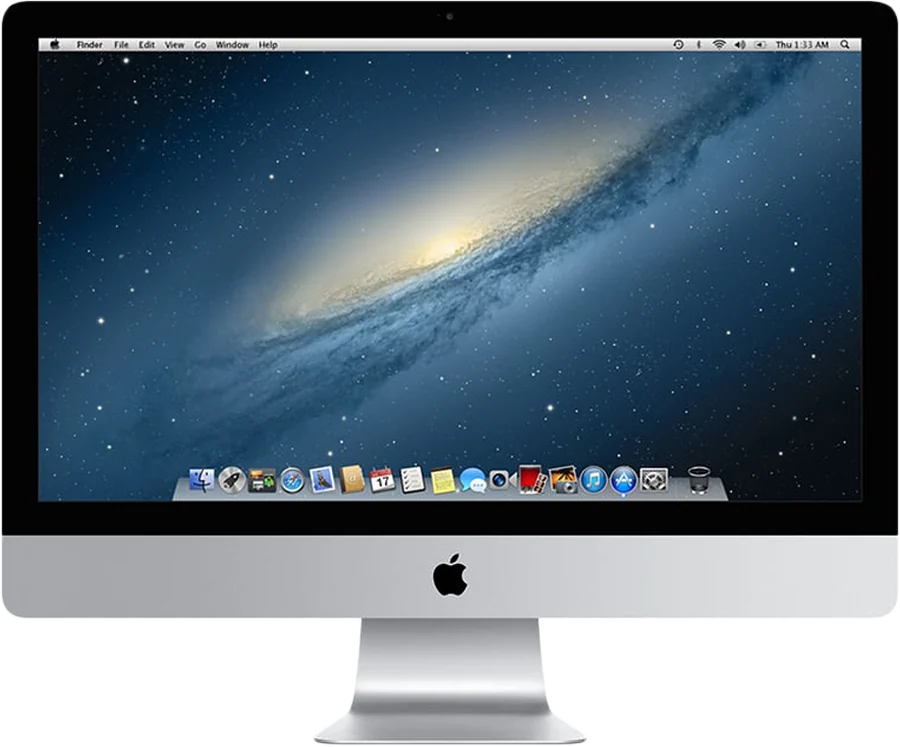
Which 2013 or 2014 iMac do you have?
Four models came out in these two years, and they differ in ways that matter. On the iMac, open the Apple menu and choose About This Mac to see yours.
| Model | Newest macOS | Ports for a cable | Target Display Mode |
|---|---|---|---|
| iMac (21.5-inch, Late 2013) | 10.15 Catalina | Thunderbolt, Gigabit Ethernet | Only on High Sierra or earlier |
| iMac (27-inch, Late 2013) | 10.15 Catalina | Thunderbolt, Gigabit Ethernet | Only on High Sierra or earlier |
| iMac (21.5-inch, Mid 2014) | 11 Big Sur | Thunderbolt 2, Gigabit Ethernet | Only on High Sierra or earlier |
| iMac (Retina 5K, 27-inch, Late 2014) | 11 Big Sur | Thunderbolt 2, Gigabit Ethernet | Never |
Sources: the 2013 iMac and 2014 iMac pages, and Apple's Target Display Mode page.
Can a 2013 or 2014 iMac be a monitor for an M1 MacBook?
Yes, with software. Not with Command-F2.
Target Display Mode has two rules in Apple's support page. The iMac must still run High Sierra 10.13.6 or earlier. And the Mac that connects must be introduced in 2019 or earlier, on macOS Catalina 10.15.8 or earlier. No MacBook with M1, M2, M3 or M4 meets the second rule. So it doesn't matter which of these iMacs you own.
Many of these iMacs also fail the first rule. A 2013 iMac updated to Mojave or Catalina has lost Target Display Mode, even with the same hardware. Encore vs Target Display Mode covers the full rules, and the case where the old route still wins.
The 2013 iMac as a second screen
The Late 2013 iMacs run up to macOS 10.15 Catalina. Encore Receiver needs 10.13 High Sierra or later, so any of those versions works. You don't have to downgrade anything.
The Late 2013 is also the first iMac with 802.11ac Wi-Fi, according to Apple's specs. Earlier iMacs use 802.11n. That helps on Wi-Fi, but a cable is still the way to use it as a monitor every day.
What to expect: a picture up to the panel's size at 60 fps. That is our expectation for this model, not yet measured on every unit.
The 2014 iMac: the 21.5-inch and the first 5K
The 21.5-inch Mid 2014 is the last iMac on Apple's Target Display Mode list. With a MacBook from 2020 or later, that makes no difference. It works with Encore the same way as a 2013 model, over Thunderbolt 2, Gigabit Ethernet or Wi-Fi.
The 27-inch Retina 5K from Late 2014 is the first Retina iMac. It never had Target Display Mode. Encore sends Retina iMacs at up to 2560 x 1440 and scales the picture to the panel. On a 5120 x 2880 panel, that is half the resolution in each direction. Text is sharp, but not every pixel is driven directly.
Some paid tools claim native 5K. Use a 5K iMac as a monitor lists them, with their sources and limits.
How to set it up
- Install Encore on your MacBook.It needs macOS 14 Sonoma or later, which every M-series MacBook can run.
- Install Encore Receiver on the iMac.Both apps are on the download page. The install guide shows the one-time macOS warning.
- Plug in a cable.See the table below. Wi-Fi works without one, at lower quality.
- Pair once.Type the 4-digit code from the iMac's screen into Encore on your MacBook. From then on it connects by itself.
- Use it like a monitor.The iMac appears in System Settings, Displays. Drag windows across.
Which cable for a 2013 or 2014 iMac?
Your MacBook has USB-C. The iMac has no USB-C and no HDMI input. The link must carry at least 400 Mbps end to end.
| Route | What to buy | Good to know |
|---|---|---|
| Thunderbolt | Apple's Thunderbolt 3 (USB-C) to Thunderbolt 2 Adapter, and a Thunderbolt 2 cable | Several Gbit/s. The headroom matters on the 27-inch and the 5K. |
| Gigabit Ethernet | A USB-C to Gigabit Ethernet adapter and a Cat6 cable | Up to 1000 Mbit/s. Enough for the sharp, lossless picture. |
| Wi-Fi | Nothing | Lower quality, and no keyboard or mouse sharing |
The adapter must say Gigabit or 10/100/1000. A 10/100 adapter caps the whole link at 100 Mbit/s. A USB-C charging cable carries no data between the two Macs. The cable guide lists every trap.
Ultra, the mode that sends every frame as ProRes 4444, needs a cable. Over Gigabit Ethernet it works on panels up to 1920 x 1200. Over Thunderbolt any panel works, at up to 2560 x 1440. Encore also checks that the iMac can decode it in time, and only offers Ultra when it can.
What works, and what doesn't
- Over a cable: the sharp, lossless picture, and the iMac's keyboard and mouse for your MacBook. Press Control-Option-Command-Esc on the iMac to switch back.
- Over Wi-Fi: it works, but the picture is always lower quality than on a cable, especially off 5 GHz.
- Sound from your MacBook plays on the iMac's speakers, over Wi-Fi or a cable.
- Camera and microphone: using the iMac's camera from your Mac is coming soon, over a cable only.
- Latency: Encore has not published latency figures yet.
- Power: Apple's idle power figures list 78 to 80 W for a Late 2013 iMac. Let it sleep when you're not using it.
When the iMac isn't your second screen, Encore's StandBy turns it into a clock with the weather and your calendar.
Other apps for these iMacs
For iMacs from Late 2012 to 2013, Luna Display, RetinaRelay, Second Display Connect and Yam Air Desk also state support. From 2014, MacDisplay joins them. Each has its own rules and price. See Encore vs Luna Display, Encore vs RetinaRelay, or all of them on the comparison pages.
Check your exact model on the compatibility page. If something doesn't connect, the troubleshooting page has a fix for each message.
Questions
Can a 2013 iMac be a monitor for an M1, M2, M3 or M4 MacBook?
Yes, with an app such as Encore, over Wi-Fi or a cable. Target Display Mode can't, because Apple requires the connecting Mac to be from 2019 or earlier on macOS Catalina or older.
Does the 2014 iMac support Target Display Mode?
Only the 21.5-inch Mid 2014, over Thunderbolt 2, on High Sierra 10.13.6 or earlier, with a Mac from 2019 or earlier. The 27-inch Retina 5K from Late 2014 never had it.
Can I use my Late 2014 5K iMac as a 5K monitor for a MacBook?
Not at full 5K with Encore. It encodes Retina iMacs at up to 2560 x 1440 and scales the picture to the panel. Text is sharp, but not every pixel is driven directly.
Which cable connects an M-series MacBook to a 2013 or 2014 iMac?
Apple's Thunderbolt 3 (USB-C) to Thunderbolt 2 Adapter and a Thunderbolt 2 cable, or a USB-C to Gigabit Ethernet adapter and a Cat6 cable. Wi-Fi works without either, at lower quality. Full guide.
What does Encore cost?
Encore is free during the public beta.