
Yes, a 21.5-inch Retina 4K iMac can be a monitor.
The 2015, 2017 and 2019 models.
Yes. Every 21.5-inch Retina 4K iMac, from Late 2015, 2017 and 2019, can be a monitor for a Mac on macOS 14 or later. It takes an app such as Encore, because none of them has Target Display Mode. Expect sharp text sent at up to 2560 x 1440 and scaled to the 4096 x 2304 panel.
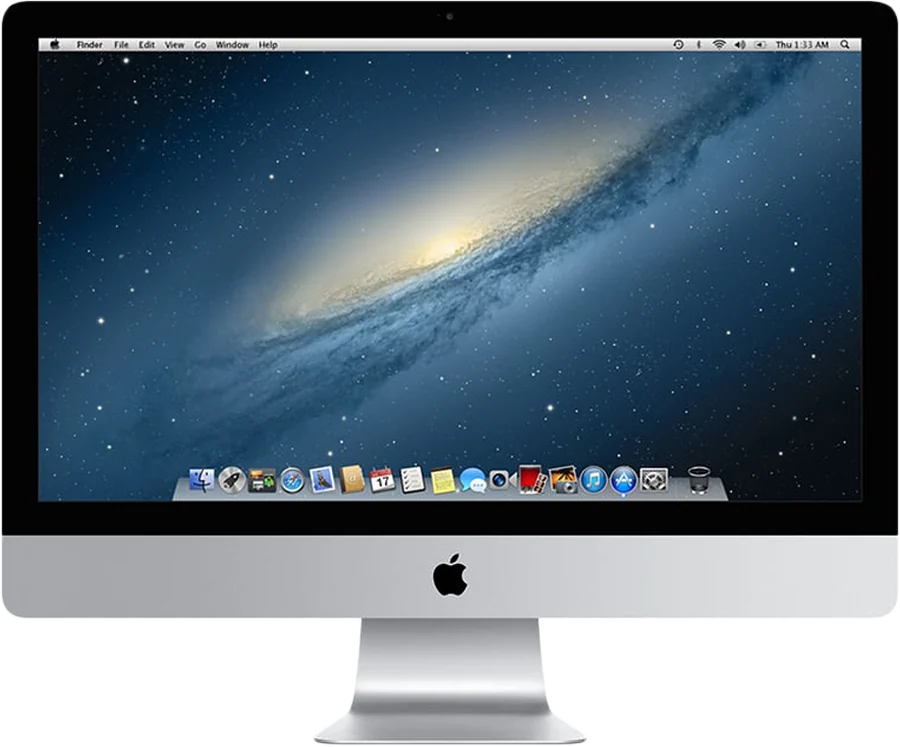
Which Retina 4K iMac do you have?
Apple made three 21.5-inch iMacs with a Retina 4K panel. All three have a 4096 x 2304 display, according to Apple's tech specs. Their ports and newest macOS differ.
| Model | Ports for a cable | Newest macOS | AirPlay to Mac |
|---|---|---|---|
| Retina 4K, 21.5-inch, Late 2015 | Two Thunderbolt 2, Gigabit Ethernet | 12 Monterey | No |
| Retina 4K, 21.5-inch, 2017 | Two Thunderbolt 3 (USB-C), Gigabit Ethernet | 13 Ventura | No |
| Retina 4K, 21.5-inch, 2019 | Two Thunderbolt 3 (USB-C), Gigabit Ethernet | 15 Sequoia | Yes, on macOS 12 or later |
Ports from Apple's tech specs, linked in the first column. Newest macOS and AirPlay from the compatibility page.
Check the exact name first. Apple also sold 21.5-inch iMacs in Late 2015 and 2017 without the Retina panel. On the iMac, open the Apple menu and choose About This Mac. A Retina model says Retina 4K in its name.
Does the Retina 4K iMac have Target Display Mode?
No. Apple's Target Display Mode list stops at the 21.5-inch Mid 2014 iMac. No Retina iMac is on it, so Command-F2 does nothing on any of these models.
Even an older iMac wouldn't help with a new Mac. Apple requires the connecting Mac to be introduced in 2019 or earlier, on macOS Catalina 10.15.8 or earlier. So any route with a Mac from 2020 or later goes through software.
What resolution does a Retina 4K iMac show as a monitor?
With Encore, the picture is sent at up to 2560 x 1440 and scaled to the panel. The panel has 4096 x 2304 pixels, so the scale is 1.6 in each direction. Both are 16:9, so the picture fills the whole screen.
In practice, text is sharp and crisp. But not every one of the panel's pixels is driven directly, as it would be on native 4K. Over a cable, lossless tiles keep still text pixel-exact at the size Encore sends.
Encore expects 60 fps on the 2017 and 2019 models. That is our expectation, not yet measured on every unit. We have not published latency figures yet.
If every pixel of the 4K panel matters to you, other tools aim for native resolution. RetinaRelay is built around native resolution over a cable. Encore vs RetinaRelay sets out what each one claims, with sources.
The 27-inch Retina 5K iMacs face the same choice at a larger size. Use a 5K iMac as a monitor lists every route that drives a Retina panel, including a driver board.
Which cable connects a Mac to a Retina 4K iMac?
Encore needs at least 400 Mbps between the two Macs, end to end. The cable depends on the model year.
| iMac | From a Mac with USB-C | Also works |
|---|---|---|
| Late 2015 | Apple's Thunderbolt 3 (USB-C) to Thunderbolt 2 Adapter, and a Thunderbolt 2 cable | Gigabit Ethernet, or Wi-Fi at lower quality |
| 2017 | One Thunderbolt 3 or 4 cable, USB-C on both ends | Gigabit Ethernet, or Wi-Fi at lower quality |
| 2019 | One Thunderbolt 3 or 4 cable, USB-C on both ends | Gigabit Ethernet, or Wi-Fi at lower quality |
For the 2017 and 2019 models, look for the lightning-bolt logo on the cable. A plain USB-C charging cable won't do. For Gigabit Ethernet, the adapter must say Gigabit or 10/100/1000.
Wi-Fi works with nothing to buy. But the picture is always lower quality than on a cable, especially off 5 GHz. The iMac's keyboard and mouse also need a cable.
Thunderbolt matters more here than on a 1080p iMac. Ultra, the mode that sends every frame as ProRes 4444, runs only over a cable. On a panel larger than 1920 x 1200, it needs Thunderbolt and sends up to 2560 x 1440. These iMacs have Gigabit Ethernet only, which is enough for the sharp picture but not for Ultra.
Ultra is sharper, not faster. The iMac decodes it on its own processor, and Encore only offers it when the iMac keeps up. The cable guide lists parts, prices and traps for each iMac.
Can the 2019 Retina 4K iMac use AirPlay to Mac?
Yes. It is the only Retina 4K model that can. Receiving AirPlay on a Mac needs an iMac from 2019 or later, on macOS 12 Monterey or later.
AirPlay is fine for mirroring or a quick extra screen. It is less responsive than a cable for everyday work, and it has no direct cable mode. The Late 2015 and 2017 models need an app either way.
How to set it up
- Install both apps.Encore on your Mac (macOS 14 or later) and Encore Receiver on the iMac (macOS 10.13 or later).
- Connect the cable.Thunderbolt or Gigabit Ethernet, from the table above.
- Pair once.Type the 4-digit code from the iMac's screen into Encore on your Mac. From then on, the iMac connects by itself.
- Arrange the display.The iMac appears in System Settings, Displays. Drag windows onto it like any monitor.
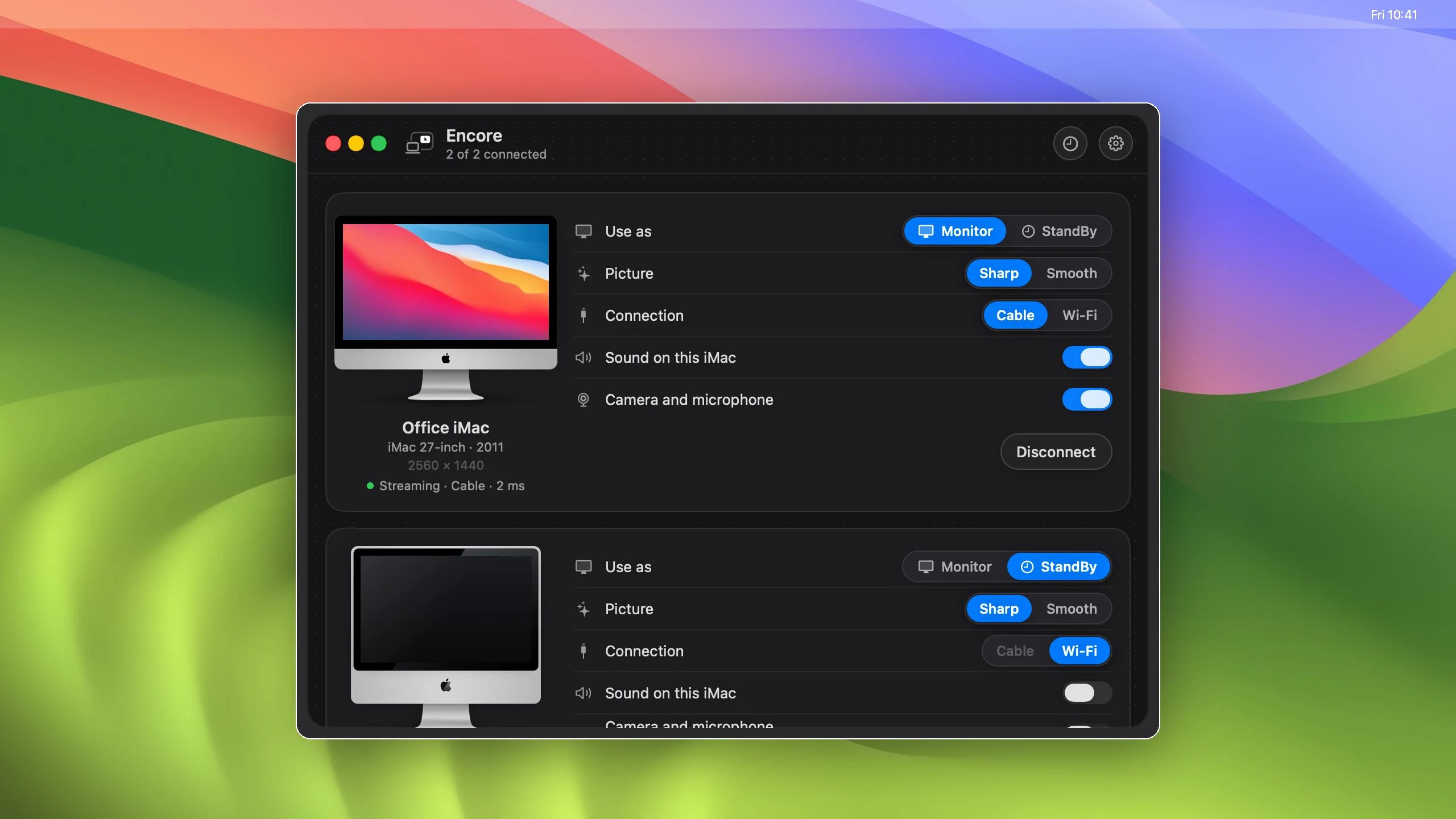
What else you get, and what you don't
- Keyboard and mouse: over a cable, the iMac's own keyboard and mouse can control your Mac. Press Control-Option-Command-Esc on the iMac to switch back.
- Speakers: your Mac's sound can play on the iMac's speakers.
- StandBy: when it isn't your monitor, the iMac shows a clock, the weather and your calendar.
- Camera and microphone: using the iMac's camera and microphone from your Mac is coming soon, over a cable.
- Native 4K: not with Encore. The picture tops out at 2560 x 1440, scaled to the panel.
They also draw less power than a 27-inch iMac. Apple's power figures list 40 W at idle for the Late 2015 model. The 2017 draws 49 W and the 2019 draws 47 W. A 27-inch iMac from 2020 draws 74 W.
The 2019 iMac page has the downloads and cable for the newest model. For the 2015 and 2017 models, start from the compatibility page.
Questions
Can a 21.5-inch Retina 4K iMac be a monitor for an M1, M2, M3 or M4 Mac?
Yes, with an app such as Encore, over Wi-Fi or a cable. Your Mac needs macOS 14 or later. Target Display Mode is not an option on any Retina iMac.
Does the Retina 4K iMac have Target Display Mode?
No. Apple's Target Display Mode list stops at the 21.5-inch Mid 2014 iMac. No Retina 4K or Retina 5K iMac ever had it.
Will my Retina 4K iMac show native 4096 x 2304 with Encore?
No. Encore sends Retina iMacs at up to 2560 x 1440 and scales the picture to the panel. Text is sharp, but not every pixel is driven directly.
Which cable connects a Mac to a Retina 4K iMac?
For the Late 2015 model, Apple's Thunderbolt 3 (USB-C) to Thunderbolt 2 Adapter and a Thunderbolt 2 cable. For 2017 and 2019, one Thunderbolt 3 or 4 cable. Gigabit Ethernet works on all three.
Can the 2019 Retina 4K iMac use AirPlay to Mac?
Yes, on macOS 12 Monterey or later. It works for mirroring or a quick extra screen, but it is less responsive than a cable for everyday work.
What does Encore cost?
Encore is free during the public beta.